Cover for dp
If Mrs Lampert is covering:
Cameras are in the middle draw of my desk – cards are in the top draw.
Students can make their videos – when I get back I will transfer the videos to the shared files
If someone else is covering:
Go to shared/oct/comparing search engines v3
The idea of this is to look at a selection of different search engines, and use the same search term in all of them. Use the notes section to record your impressions of how useful/easy to use/interesting they are.
Use the same search for each engine – as suggested in the worksheet
Choose 2 search engines and have a good look at htem – next lesson we’ll be discussing your findings in class
Year 7 x 2
Design a poster to advertise the disco – remember the facts that you have available – free drinks, ticket costs, day, etc
Year 10
They should ALL be working to improve their coursework – lots of excuses will be made – they don’t understand, can’t do it, too hard etc, however I HAVE been over it with them lots of times, and they could always try reading the instructions!
Please ask D Bidgood to disable the internet if necessary
Friday, June 18, 2010
Cover for DP
Friday 18th June. Periods 3-4 year 10
all students should be making sure that any and all work from projects 1a and b are complete. We have been over this many times, and if necessary, they could even read the instructions!
We have also started writing up the introduction to the main piece of coursework - project 2. The relevant info can be found in Shared/ict/gcse ict/project 2/ analysis.
students should already have a copy of the analysis template and be writing up their scenarios.
The next session is user requirements - what the customer needs a filing system to be able to do.
As a group we came up with the requirements listed in the file "current file system and user requirements" this should be written up in conjunction with the notes from "user requirements improvements" - to summarise - rather than a bald statement that the user needs to be able to add a record to their filing system, you have do describe a situation in which they would do it "in real life".
Then, imagine you were using a paper filing system. What problems would you have with keeping track of everything (particularly if you were not very organised)?
At NO stage in this section should you make any reference to computers or datebases.
Friday 18th June. Periods 3-4 year 10
all students should be making sure that any and all work from projects 1a and b are complete. We have been over this many times, and if necessary, they could even read the instructions!
We have also started writing up the introduction to the main piece of coursework - project 2. The relevant info can be found in Shared/ict/gcse ict/project 2/ analysis.
students should already have a copy of the analysis template and be writing up their scenarios.
The next session is user requirements - what the customer needs a filing system to be able to do.
As a group we came up with the requirements listed in the file "current file system and user requirements" this should be written up in conjunction with the notes from "user requirements improvements" - to summarise - rather than a bald statement that the user needs to be able to add a record to their filing system, you have do describe a situation in which they would do it "in real life".
Then, imagine you were using a paper filing system. What problems would you have with keeping track of everything (particularly if you were not very organised)?
At NO stage in this section should you make any reference to computers or datebases.
Wednesday, June 09, 2010
Year 9
Complete flyers started last lesson.
This needs to be added to your evidence powerpoint. As you do, consider these points. I have highlighted the bits you need to focus on. Simply describing WHAT you have done gets you a level 4, or thereabouts – to improve on this you need to explain WHAT you have done, WHY you did it (e.g. audience needs, more efficient, fit for purpose etc) and HOW you could improve…
Level 4- describe: I have done this …
Examples:
Use the distance travelled & cost of petrol to calculate the cost of a coach trip using a spreadsheet.
Use a costing model to vary prices on goods to maximise profits and minimise costs.
Level 5- explain: I have done this because …
Examples:
Recognise reliable sources of information.
Draw conclusions based on statistical data: why are games consoles searched for more in the last four months of the year than at other times?
Level 6- evaluate: I did this and it was better than that… I could do it better by …
Examples:
Write a user guide for a computer system.
Design a spreadsheet/database system to perform a specific task.
Revise how to complete a complex task in order to improve the outcome.
Explain choices made in making recommendations to an end user.
Compare your use of ICT with other methods.
Year 7
Students are working on a spreadsheet to calculate the cost of a disco.
Worksheets are available from shared/ict/year 8/spreadsheets/disco costs – open worksheet 3 AND DO ALL OF IT, then do worksheet 4
Make sure you do all the extension activites.
When you have done this, go to shared/ict comparing search engines v3
Choose a single search to do, and do the same search with the different search engines. We will be discussing your findings (which do you prefer and why) next lesson.
Year 10
Carry on improving your project 1a/b based on the mark scheme.
Part 1: coursework catchup. The people on the left have mostly finished, but the motley crew along the right hand side of the room still have a large amount of work to do.
MArksheet is in Shared/ICT/Grades/year 10 –look up what hasn’t done and try to do it.
Before you all start saying “don’t know what to do” and stropping, please remember: READ THE INSTRUCTIONS – and I have been over this with you individually MANY times! Poppy, Ryan et al – this does NOT mean just looking on the internet!
Everyone else:
For project 2 you will be going through all the steps to set up a complete ICT system for a small organisation. I’d like you to try writing up some notes to form the basis of your scenario.
Example orgs that have worked well in the past are: mobile hairdressers/beauticians, badminton/tennis/yoga coaches, newsagents and paper deliveries, beavers/cubs/youth group membership details etc.
All these have 1 thing in common – they are run by a single person, WHO DOES NOT HAVE A PC AT THE MOMENT.
Go to shared/ict/gcse ict/ project 2/analysis/ and open the analysis template. Complete the scenario section. (we WILL review this later!)
Complete flyers started last lesson.
This needs to be added to your evidence powerpoint. As you do, consider these points. I have highlighted the bits you need to focus on. Simply describing WHAT you have done gets you a level 4, or thereabouts – to improve on this you need to explain WHAT you have done, WHY you did it (e.g. audience needs, more efficient, fit for purpose etc) and HOW you could improve…
Level 4- describe: I have done this …
Examples:
Use the distance travelled & cost of petrol to calculate the cost of a coach trip using a spreadsheet.
Use a costing model to vary prices on goods to maximise profits and minimise costs.
Level 5- explain: I have done this because …
Examples:
Recognise reliable sources of information.
Draw conclusions based on statistical data: why are games consoles searched for more in the last four months of the year than at other times?
Level 6- evaluate: I did this and it was better than that… I could do it better by …
Examples:
Write a user guide for a computer system.
Design a spreadsheet/database system to perform a specific task.
Revise how to complete a complex task in order to improve the outcome.
Explain choices made in making recommendations to an end user.
Compare your use of ICT with other methods.
Year 7
Students are working on a spreadsheet to calculate the cost of a disco.
Worksheets are available from shared/ict/year 8/spreadsheets/disco costs – open worksheet 3 AND DO ALL OF IT, then do worksheet 4
Make sure you do all the extension activites.
When you have done this, go to shared/ict comparing search engines v3
Choose a single search to do, and do the same search with the different search engines. We will be discussing your findings (which do you prefer and why) next lesson.
Year 10
Carry on improving your project 1a/b based on the mark scheme.
Part 1: coursework catchup. The people on the left have mostly finished, but the motley crew along the right hand side of the room still have a large amount of work to do.
MArksheet is in Shared/ICT/Grades/year 10 –look up what hasn’t done and try to do it.
Before you all start saying “don’t know what to do” and stropping, please remember: READ THE INSTRUCTIONS – and I have been over this with you individually MANY times! Poppy, Ryan et al – this does NOT mean just looking on the internet!
Everyone else:
For project 2 you will be going through all the steps to set up a complete ICT system for a small organisation. I’d like you to try writing up some notes to form the basis of your scenario.
Example orgs that have worked well in the past are: mobile hairdressers/beauticians, badminton/tennis/yoga coaches, newsagents and paper deliveries, beavers/cubs/youth group membership details etc.
All these have 1 thing in common – they are run by a single person, WHO DOES NOT HAVE A PC AT THE MOMENT.
Go to shared/ict/gcse ict/ project 2/analysis/ and open the analysis template. Complete the scenario section. (we WILL review this later!)
Tuesday, June 08, 2010
Cover for DP
Period 1: 7W
Shared/ict/year7ict/spreadsheets/fiona’s models/
Run the powerpoint (don’t just open it) and then select the first 3 of the spreadsheet exercises: the library, car dealer and (but not the café)
If this is completed, open the comparing search engines worksheet that we did last lesson – you have already looked at all the different search engines – this time I want to choose 2 search engines and write about how you could use them instead of google.
What is different about them?
What do you like about them?
What could be made easier/better?
Period 2: 10M3
Part 1: coursework catchup. The people on the left have mostly finished, but the motley crew along the right hand side of the room still have a large amount of work to do.
MArksheet is in Shared/ICT/Grades/year 10 –look up what hasn’t done and try to do it.
Before you all start saying “don’t know what to do” and stropping, please remember: READ THE INSTRUCTIONS – and I have been over this with you individually MANY times!
Everyone else:
For project 2 you will be going through all the steps to set up a complete ICT system for a small organisation. I’d like you to try writing up some notes to form the basis of your scenario.
Example orgs that have worked well in the past are: mobile hairdressers/beauticians, badminton/tennis/yoga coaches, newsagents and paper deliveries, beavers/cubs/youth group membership details etc.
All these have 1 thing in common – they are run by a single person, WHO DOES NOT HAVE A PC AT THE MOMENT.
Go to shared/ict/gcse ict/ project 2/analysis/ and open the analysis template. Complete the scenario section. (we WILL review this later!)
Year 9 ICT
Evidence powerpoints.
Take this opportunity to go through and ensure that you have all the evidence you need for the work that you have done.
Before you say “but I’ve done that” consider this:
Level 4- describe: I have done this …
Examples: Use the distance travelled & cost of petrol to calculate the cost of a coach
trip using a spreadsheet. Use a costing model to vary prices on goods to maximise
profits and minimise costs.
Level 5- explain: I have done this because …
Examples: Recognise reliable sources of information. Draw conclusions based on
statistical data: why are games consoles searched for more in the last four months of
the year than at other times?
Level 6- evaluate: I did this and it was better than that… I could do it better by …
Examples: Write a user guide for a computer system. Design a spreadsheet/database
system to perform a specific task. Revise how to complete a complex task in order to
improve the outcome. Explain choices made in making recommendations to an end user. Compare your use of ICT with other methods.
If you have done this, then:
Ticket sales are going slower than expected. You need to do something quickly to advertise the show to get people to come and see it.
In publisher, design a FLYER to be handed out in town.
Remember: a flyer is an A5 piece of paper that is handed out to passers by.
In your evidence powerpoint you will need to consider how the audience of a flyer differs from the audience of a poster (from which you can get most of the ideas for the flyer)
Period 1: 7W
Shared/ict/year7ict/spreadsheets/fiona’s models/
Run the powerpoint (don’t just open it) and then select the first 3 of the spreadsheet exercises: the library, car dealer and (but not the café)
If this is completed, open the comparing search engines worksheet that we did last lesson – you have already looked at all the different search engines – this time I want to choose 2 search engines and write about how you could use them instead of google.
What is different about them?
What do you like about them?
What could be made easier/better?
Period 2: 10M3
Part 1: coursework catchup. The people on the left have mostly finished, but the motley crew along the right hand side of the room still have a large amount of work to do.
MArksheet is in Shared/ICT/Grades/year 10 –look up what hasn’t done and try to do it.
Before you all start saying “don’t know what to do” and stropping, please remember: READ THE INSTRUCTIONS – and I have been over this with you individually MANY times!
Everyone else:
For project 2 you will be going through all the steps to set up a complete ICT system for a small organisation. I’d like you to try writing up some notes to form the basis of your scenario.
Example orgs that have worked well in the past are: mobile hairdressers/beauticians, badminton/tennis/yoga coaches, newsagents and paper deliveries, beavers/cubs/youth group membership details etc.
All these have 1 thing in common – they are run by a single person, WHO DOES NOT HAVE A PC AT THE MOMENT.
Go to shared/ict/gcse ict/ project 2/analysis/ and open the analysis template. Complete the scenario section. (we WILL review this later!)
Year 9 ICT
Evidence powerpoints.
Take this opportunity to go through and ensure that you have all the evidence you need for the work that you have done.
Before you say “but I’ve done that” consider this:
Level 4- describe: I have done this …
Examples: Use the distance travelled & cost of petrol to calculate the cost of a coach
trip using a spreadsheet. Use a costing model to vary prices on goods to maximise
profits and minimise costs.
Level 5- explain: I have done this because …
Examples: Recognise reliable sources of information. Draw conclusions based on
statistical data: why are games consoles searched for more in the last four months of
the year than at other times?
Level 6- evaluate: I did this and it was better than that… I could do it better by …
Examples: Write a user guide for a computer system. Design a spreadsheet/database
system to perform a specific task. Revise how to complete a complex task in order to
improve the outcome. Explain choices made in making recommendations to an end user. Compare your use of ICT with other methods.
If you have done this, then:
Ticket sales are going slower than expected. You need to do something quickly to advertise the show to get people to come and see it.
In publisher, design a FLYER to be handed out in town.
Remember: a flyer is an A5 piece of paper that is handed out to passers by.
In your evidence powerpoint you will need to consider how the audience of a flyer differs from the audience of a poster (from which you can get most of the ideas for the flyer)
Monday, June 07, 2010
Year 9 ICT
Evidence powerpoints.
Take this opportunity to go through and ensure that you have all the evidence you need for the work that you have done.
Before you say “but I’ve done that” consider this:
Level 4- describe: I have done this …
Examples: Use the distance travelled & cost of petrol to calculate the cost of a coach
trip using a spreadsheet. Use a costing model to vary prices on goods to maximise
profits and minimise costs.
Level 5- explain: I have done this because …
Examples: Recognise reliable sources of information. Draw conclusions based on
statistical data: why are games consoles searched for more in the last four months of
the year than at other times?
Level 6- evaluate: I did this and it was better than that… I could do it better by …
Examples: Write a user guide for a computer system. Design a spreadsheet/database
system to perform a specific task. Revise how to complete a complex task in order to
improve the outcome. Explain choices made in making recommendations to an end user. Compare your use of ICT with other methods.
If you have done this, then:
Ticket sales are going slower than expected. You need to do something quickly to advertise the show to get people to come and see it.
In publisher, design a FLYER to be handed out in town.
Remember: a flyer is an A5 piece of paper that is handed out to passers by.
In your evidence powerpoint you will need to consider how the audience of a flyer differs from the audience of a poster (from which you can get most of the ideas for the flyer)
Period 2 – 10M1
Task 1 – go through the marking spreadsheets and check for any incomplete tasks – and do them!
Notes: health and safety. Following advice from the exam board, it is better to write a paragraph of H&S advice rather than annotate a diagram
Viruses:
Answer the following questions in sentences:
What is a virus? How do you get them? What software can prevent them? What do you have to do with this software so that it can find up to date viruses? What can you do to prevent your computer, if infected, connecting to the net? What other advice would you give – e.g. re email attachments etc.?
For project 2 you will be going through all the steps to set up a complete ICT system for a small organisation. I’d like you to try witing up some notes to form the basis of your scenario.
Example orgs that have worked well in the past are: mobile hairdressers/beauticians, badminton/tennis/yoga coaches, newsagents and paper deliveries, beavers/cubs/youth group membership details etc.
All these have 1 thing in common – they are run by a single person, WHO DOES NOT HAVE A PC AT THE MOMENT.
Go to shared/ict/gcse ict/ project 2/analysis/ and open the analysis template. Complete the scenario section. (we WILL review this later!)
Period 5 – year 7
Students are working on a spreadsheet to calculate the cost of a disco.
Worksheets are available from shared/ict/year 8/spreadsheets/disco costs – open worksheet 3 AND DO ALL OF IT, then do worksheet 4
Make sure you do all the extension activites.
When you have done this, go to shared/ict comparing search engines v3
Choose a single search to do, and do the same search with the different search engines. We will be discussing your findings (which do you prefer and why) next lesson.
Evidence powerpoints.
Take this opportunity to go through and ensure that you have all the evidence you need for the work that you have done.
Before you say “but I’ve done that” consider this:
Level 4- describe: I have done this …
Examples: Use the distance travelled & cost of petrol to calculate the cost of a coach
trip using a spreadsheet. Use a costing model to vary prices on goods to maximise
profits and minimise costs.
Level 5- explain: I have done this because …
Examples: Recognise reliable sources of information. Draw conclusions based on
statistical data: why are games consoles searched for more in the last four months of
the year than at other times?
Level 6- evaluate: I did this and it was better than that… I could do it better by …
Examples: Write a user guide for a computer system. Design a spreadsheet/database
system to perform a specific task. Revise how to complete a complex task in order to
improve the outcome. Explain choices made in making recommendations to an end user. Compare your use of ICT with other methods.
If you have done this, then:
Ticket sales are going slower than expected. You need to do something quickly to advertise the show to get people to come and see it.
In publisher, design a FLYER to be handed out in town.
Remember: a flyer is an A5 piece of paper that is handed out to passers by.
In your evidence powerpoint you will need to consider how the audience of a flyer differs from the audience of a poster (from which you can get most of the ideas for the flyer)
Period 2 – 10M1
Task 1 – go through the marking spreadsheets and check for any incomplete tasks – and do them!
Notes: health and safety. Following advice from the exam board, it is better to write a paragraph of H&S advice rather than annotate a diagram
Viruses:
Answer the following questions in sentences:
What is a virus? How do you get them? What software can prevent them? What do you have to do with this software so that it can find up to date viruses? What can you do to prevent your computer, if infected, connecting to the net? What other advice would you give – e.g. re email attachments etc.?
For project 2 you will be going through all the steps to set up a complete ICT system for a small organisation. I’d like you to try witing up some notes to form the basis of your scenario.
Example orgs that have worked well in the past are: mobile hairdressers/beauticians, badminton/tennis/yoga coaches, newsagents and paper deliveries, beavers/cubs/youth group membership details etc.
All these have 1 thing in common – they are run by a single person, WHO DOES NOT HAVE A PC AT THE MOMENT.
Go to shared/ict/gcse ict/ project 2/analysis/ and open the analysis template. Complete the scenario section. (we WILL review this later!)
Period 5 – year 7
Students are working on a spreadsheet to calculate the cost of a disco.
Worksheets are available from shared/ict/year 8/spreadsheets/disco costs – open worksheet 3 AND DO ALL OF IT, then do worksheet 4
Make sure you do all the extension activites.
When you have done this, go to shared/ict comparing search engines v3
Choose a single search to do, and do the same search with the different search engines. We will be discussing your findings (which do you prefer and why) next lesson.
Monday, May 03, 2010
cover work for year 7
Target: ensure that the planning and evaluation file that the students have been working on is up to date. make improvements to their games where possible. Ask the more able to support round room (1 merit to each helper).
cover work for year 10
Load the marking spreadsheet
look through for marks that are coloured yellow, and try to do the improvements necessary to turn them green.
Theory prep:
go to social effects of ICT and look at the mini site and information. Think about how ict has become so common in your life, and how different it is from when your parents were growing up. (A good idea would be to ask your parents/grandparents how they think things are different now - are they better, worse or just different?)
Go to shared/ict/gcse ict/theory/exam questions/ict and society, and try answering some of the sample exam questions.
cover work for year 9
Make sure that the mail merge letters that we were working on are complete and properly formatted as per the task sheet in the shared files (shared/ict/year9ict/drama production project/mail merge/)
In the drama production project folder is a video file called something like mail merge to label. This is a step by step video tutorial on how to make the printed labels that go on the front of envelopes.
When you are doing it, you need to make sure that you choose only the pupils who do not have a sibling at the high school.
cover work for year 11
Theory prep:
go to social effects of ICT and look at the mini site and information. Think about how ict has become so common in your life, and how different it is from when your parents were growing up. (A good idea would be to ask your parents/grandparents how they think things are different now - are they better, worse or just different?)
Go to shared/ict/gcse ict/theory/exam questions/ict and society, and try answering some of the sample exam questions.
Target: ensure that the planning and evaluation file that the students have been working on is up to date. make improvements to their games where possible. Ask the more able to support round room (1 merit to each helper).
cover work for year 10
Load the marking spreadsheet
look through for marks that are coloured yellow, and try to do the improvements necessary to turn them green.
Theory prep:
go to social effects of ICT and look at the mini site and information. Think about how ict has become so common in your life, and how different it is from when your parents were growing up. (A good idea would be to ask your parents/grandparents how they think things are different now - are they better, worse or just different?)
Go to shared/ict/gcse ict/theory/exam questions/ict and society, and try answering some of the sample exam questions.
cover work for year 9
Make sure that the mail merge letters that we were working on are complete and properly formatted as per the task sheet in the shared files (shared/ict/year9ict/drama production project/mail merge/)
In the drama production project folder is a video file called something like mail merge to label. This is a step by step video tutorial on how to make the printed labels that go on the front of envelopes.
When you are doing it, you need to make sure that you choose only the pupils who do not have a sibling at the high school.
cover work for year 11
Theory prep:
go to social effects of ICT and look at the mini site and information. Think about how ict has become so common in your life, and how different it is from when your parents were growing up. (A good idea would be to ask your parents/grandparents how they think things are different now - are they better, worse or just different?)
Go to shared/ict/gcse ict/theory/exam questions/ict and society, and try answering some of the sample exam questions.
Tuesday, March 16, 2010
Cover for DP
Period 1 10M3 ICT
Continue with coursework – you know what they are doing – and if not, you could always read the instructions!
Things you could do:
Scan in house/car research
Print/complete/scan data capture forms
Spell check database
Anyone finishing/stuck for something to do should have a look at the add-on mark section from project 1a as there is still work to do there.
Period 2 – 7T
Continue with your pac man games- use the powerpoint from the shared files.
It is important that you do the basics first – and get it working before going off and experimenting … but one they have got things working, you can add extra features to their heart’s content!
SAVE YOUR WORK WITH DIFFERENT VERSION NAMES. E.g. pacman basic, pacman ghost, pacman extra prizes etc …
Period 4
Year 8
Designing business cards and adding logos. – complete any outstanding work from last lesson.
Period 5
9H
Logo design using serif draw – at least 2, preferably 3 different logos to promote a school production of Joseph’s dreamcoat.
Complete the evaluation section of the worksheet that they loaded last lesson.
Add annotated screenshots to the powerpoint that they were shown last lesson.
Look in the publicity materials folder in shared/ict/year 9/drama production project
There are a range of different posters that have been used for the play. Load the accompanying worksheet and identify what you think would make for a good/effective/fit for purpose poster.
What features should the poster include? – Come up with your own success criteria for a poster to advertise the play WITHIN SCHOOL.
Period 1 10M3 ICT
Continue with coursework – you know what they are doing – and if not, you could always read the instructions!
Things you could do:
Scan in house/car research
Print/complete/scan data capture forms
Spell check database
Anyone finishing/stuck for something to do should have a look at the add-on mark section from project 1a as there is still work to do there.
Period 2 – 7T
Continue with your pac man games- use the powerpoint from the shared files.
It is important that you do the basics first – and get it working before going off and experimenting … but one they have got things working, you can add extra features to their heart’s content!
SAVE YOUR WORK WITH DIFFERENT VERSION NAMES. E.g. pacman basic, pacman ghost, pacman extra prizes etc …
Period 4
Year 8
Designing business cards and adding logos. – complete any outstanding work from last lesson.
Period 5
9H
Logo design using serif draw – at least 2, preferably 3 different logos to promote a school production of Joseph’s dreamcoat.
Complete the evaluation section of the worksheet that they loaded last lesson.
Add annotated screenshots to the powerpoint that they were shown last lesson.
Look in the publicity materials folder in shared/ict/year 9/drama production project
There are a range of different posters that have been used for the play. Load the accompanying worksheet and identify what you think would make for a good/effective/fit for purpose poster.
What features should the poster include? – Come up with your own success criteria for a poster to advertise the play WITHIN SCHOOL.
Tuesday, February 09, 2010
Year 11 cover
Coursework: review progress so far:
design: you should have your 2 database plans, 2 letter s and 2 forms
implementation: show how you set up your database- make sure that the database that you set up matches your plans (table structure and forms)
mail merge - shared.ict.gcse ict.project 2.implementation - watch the flash video on how to set up a mail merge to a printed label - do it yourself and print screen the process...
Year 10s
make sure you ahve your DCFs and evidence scanned in. Produce evidence that you ahve spellchecked your work, used validation and done your queries.
go back to project 1a and review your pros and cons of ict section from the add on marks - make sure that you relate everything to your personal experience (even if you have to make up an auntie who lives in new zealand for the email section!)
Year 8
yesterday we started the review process for the logos - remember that you need at least 2 (preferably three) logos.
These logos get inserted into the worksheet
you email the worksheet to someone to review
Receiving the worksheet
Choose to download the worksheet and save it. Only open it when it has been downloaded.
make your comments, save it and close the file
THEN reply to the email and reattatch the review file
Receiving the feedback
Choose to download the file, NOT open it in internet explorer.
NOTES
To get a picture out of serif you need to export it into a file format you can use:
FILE - EXPORT - give it a name and click export ...
Friday, January 29, 2010
Cover for DP
Year 11s
Carry on with coursework!
If you think that you have finished your plans, go to shared.ict.gcse ict.project 2.implementation and open the "implementation template"
you need to set up your database as per your plan v2 in the design template - and screenshot evidence as you go as per the instructions.
When setting up the DB, don't forget to set phone as number to start with, and to "discover" the lookup data type.
Otherwise, scan your forms and insert - make sure to annotate and link to your user requirements.
Year 10s
make sure that you have scanned the paper research, scanned the dcf and typed up the adverts into the database. include with the 2 scans a print screen showing the adverts that were on teh dcf/paper research.
find 4 web adverts, print screen them and insert below the above. type them into your DB and include a printscreen of the records in your DB.
run a spellchecker on your DATABASE (not word!) - tools/spelling
print screen finding an error - then print screen the corrected version. You have to have an error - if you don't, add on so thta you can find it!
Make sure that ALL spelling errors are completed.
make sure that you ahve completed the database plan, and that you ahve planned your queries - remember- to get mark band 17-19, you need to use and OR/NOT in the query - e.g. diesel estate NOT ford, or 3 bed semi in tenbury OR burford.
Wednesday, December 09, 2009
Year 10 cover period 1 - 9th December
1) look at the data capture forms in these links:
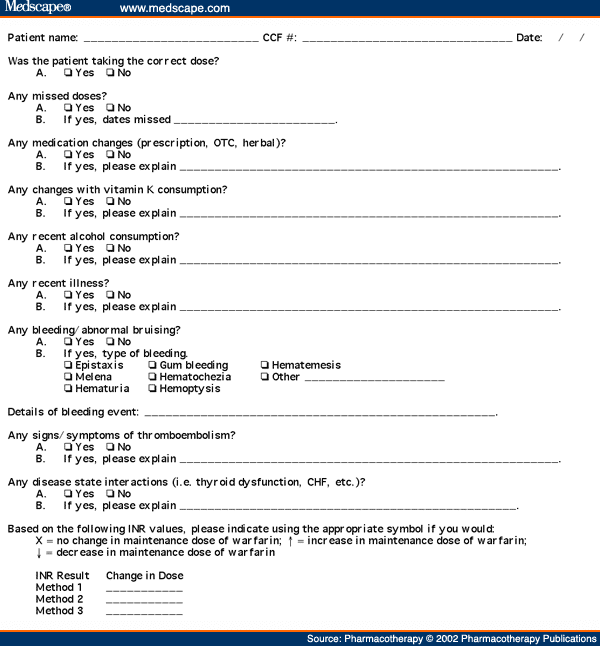


In this file, describe the steps that the form designer has undergone to make sure that the quality of the data is as accurate as possible.
Data capture form design
In the table below, try to identify methods that the form designer has used to cut down on the number of errors that are made when filling in the forms.
Think about how the QUALITY of the data has been improved when compared with older models.
Form 1 | Form 2 | Form 3 |
| | | |
| | | |
| | | |
| | | |
| | | |
| | | |
| | | |
Tuesday, December 01, 2009
Year 11 cover period 1 Wednesday
.
On my desk there is a stack of exam papers for revision.
research network "topologies" - shapes of networks, LAN and WAN, and database design - data types etc.
look at all the topics that you did for project 1a add on marks - these will all be in the exam (big hint there!)
Tuesday, November 24, 2009
Year 10
If you have not already done so, you should start the database exercise - see last post. If you have started it, please continue as best you can.
Next - choose if you are going to do a house or a car database. In word, make a list of facts about houses or cars that an estate agent or car dealer might want to record. choose the appropriate data types (text, number etc)
continue with the myths and legends project. remember your success criteria and your plan - check that these are up to date.
Year 8 and Year 9
You should choose at least 3 stories.
Monday, November 23, 2009
Year 7
continue with the myths and legends project. remember your success criteria and your plan - check that these are up to date.
Year 10
If you have not already done so, you should start the database exercise - see last post. If you have started it, please continue as best you can.
Next - choose if you are going to do a house or a car database. In word, make a list of facts about houses or cars that an estate agent or car dealer might want to record. choose the appropriate data types (text, number etc)
Year 9
click here for the worksheet
You should choose at least 3 stories.
Complete this template
Year 11
Mock revision. Make sure that you are up to date with the exercises on effects of ICT on society. Last lesson I forgot to mention this site - click here
Sunday, November 22, 2009
Year 9s
year 10s
If you have not already done so, you should start the database exercise - see last post. If you have started it, please continue as best you can.
Next - choose if you are going to do a house or a car database. In word, make a list of facts about houses or cars that an estate agent or car dealer might want to record. choose the appropriate data types (text, number etc)
year 11s
Mock revision. Make sure that you are up to date with the exercises on effects of ICT on society. Last lesson I forgot to mention this site - click here
year 7s
continue with the myths and legends project. remember your success criteria and your plan - check that these are up to date.
Friday, November 20, 2009
Year 11s - concentrate today on revising the social impacts of ICT - I want to look at how ict has affected jobs - new jobs/jobs changed (how?)/jobs lost. what changes jobs - communications, computers, robots?
text book pages: 222, 223, 224-5
have a look at this page: 5.1.6 Applications & Effects of ICT on Society
and this on teleworking
Year 10s
If you have not already done so, do this:
The next project will be a house or car database – you’ll need to scan in some adverts from the stack on the window ledge. Orange text books at back – p116 case study and searching for information from a database
Activity 2 – file extensions
If you have completed this task then you should open this worksheet and follow the instructions on setting up a databse.
Sunday, November 15, 2009
Year 10
Use the notes to make sure that as many tasks as possible are up to date.
The next project will be a house or car database – you’ll need to scan in some adverts from the stack on the window ledge.
Orange text books at back – p116 case study and searching for information from a database
Activity 2 – file extensions
Year 7
continue with the myths and legends work - make sure that your powerpoint plan is up to date.
Look at the post just down the page for details of how to log in and start creating your story.
Year 9
Task 1 – your second chance at collaborative planning. Lets face it – your first attempt was a rude and unpleasant – if it does not work out a second time then the whole class can do detentions until I have worked off my anger at the way you treat what should otherwise be an interesting activity!
Left side of room (looking at sports hall) click here
Back of the room click here
right side of the room (looking at bus bay) click here
Next, have a go at the flowol - greenhouse mimic- it doesn't matter if you get it wrong to start off with - the IT term for this is ITERATION - repeatedly redoing work to make it better.MAKE SURE THAT YOU SAVE THE WORK EACH TIME WITH A DIFFERET FILE NAME- E.G. GREENHOUSE 1, GREENHOUSE 2 ETC -EACH TIME YOU MAKE A CHANGE.
left side group
back group
right side group
Year 11
Mock revision using notes and textbooks on the topics I outlined in my post last week
Friday, November 13, 2009
Year 11s
1. Please save the current template that you ahve been working on into shared/cit/student work/year 11/work to be marked/
Please save it WITH YOUR NAME IN THE FILE NAME - e.g. Joe Bloggs design template
In yesterday's post I put a list of revision topics for the mock - work on that.
Year 10s
USe today's lesson to complete as much outstanding coursework as you can - nothing new today - it's time to make sure that you are as up to date as you can make it.
1. Please save the current template that you ahve been working on into shared/cit/student work/year 11/work to be marked/
Please save it WITH YOUR NAME IN THE FILE NAME - e.g. Joe Bloggs design template
In yesterday's post I put a list of revision topics for the mock - work on that.
Year 10s
USe today's lesson to complete as much outstanding coursework as you can - nothing new today - it's time to make sure that you are as up to date as you can make it.
Wednesday, November 11, 2009
Year 9
As part of this lesson you will me working together on an online document to plan what you might need to think about when it comes to working out how much money you will make when you sell the bedding plants.
You will be working in three groups - each group is the set of students sitting on a side of the classroom.
Left side of room (looking at sports hall) click here
Back of the room click here
right side of the room (looking at bus bay) click here
At the end of the lesson, click on IMPORT/EXPORT and choose word document to save the plan into your my documents folder.
TRY to avoid being silly - I can just check later who did what...
Having established as a group what your ideas are start, in your evidence powerpoint to come up with a list of the success criteria which you will use to evaluate how successful your spreadsheet is once you have finished it.
Have a go at the flowol - greenhouse mimic- it doesn't matter if you get it wrong to start off with - the IT term for this is ITERATION - repeatedly redoing work to make it better.MAKE SURE THAT YOU SAVE THE WORK EACH TIME WITH A DIFFERET FILE NAME- E.G. GREENHOUSE 1, GREENHOUSE 2 ETC -EACH TIME YOU MAKE A CHANGE.
continue with the myths and legends work - make sure that your powerpoint plan is up to date.
Look at the post just down the page for details of how to log in and start creating your story.
Year 10
I'm re-posting the notes from last lesson to give you time to get everything done - please remember - this isn't a doss lesson - you really need to get on with the work and if you are stuck, ask for help.
Year 11 revision notes
click here and save the doc to your folder.
Follow the links to the different topic websites
Look in Shared/ICT/GCSE ICT and there are a couple of folders - theory and exam papers - both should help!
Year 10: nothing new today - take this as an opportunity to catch up on all the work set so far!
Anyone who thinks that they have done so should research the Data protection act.
try here.
the website for myths and legends is:
Instructions:
1: Click on Messages - if you have already signed in, do so. Otherwise click on "join for free"
2: Enter a user name and password - make sure that you'll remember it! (hint - use the school one so that I'll know who you are)
3)AS you can see from the pic, you'll have to type tenbury and then select the high school... Then click on join...

You have Chapters across the top - 10 in all, and each chapter is made up of 9 slides - click on story board in the bottom left to see them.
Remember - you need to STRUCTURE your story so that each chapter is separate - and a chapter will have to have several pages - just like in a book.
Year 8s
Ensure that you have done the powerpoint on e-safety.
Next, get someone to check it against the success criteria - see further down this blog if you can't remember them!
Add a new page - write down any feedback you ahve had.
Answer these questions:
do you think the feedback was valid?
If you disagree with the feedback, explain why
what changes would you make to improve your presentation?
Save the presentation (using FILE/SAVE AS) and add "after feedback" to the name of the file
Now you will have a before and after presentation - make sure you actually do the improvements!
Year 9 cover
powerpoint on internet safety.
using resources from the net, www.thunkuknow.co.uk and what we talked about, use the powerpoint presentation to make young people aware of the need to be careful when putting info about themselves online.
target audience: students in years 5-8
success criteria:
all slides MUST be consistent - same background, colours, fonts, layouts etc. (This isn't just me - if you ever want to get above a level 3, then this is what you have to do! - to all the moaners out there who want their work to look "pretty" - tough!)
topics to include: blogging, social networking, using mobile phones
Next, get someone to check it against the success criteria - see further down this blog if you can't remember them!
Add a new page - write down any feedback you ahve had.
Answer these questions:
do you think the feedback was valid?
If you disagree with the feedback, explain why
what changes would you make to improve your presentation?
Save the presentation (using FILE/SAVE AS) and add "after feedback" to the name of the file
Now you will have a before and after presentation - make sure you actually do the improvements!
The following activity should take around 15 minutes and be started at 10am.
As part of this lesson you will me working together on an online document to plan what you might need to think about when it comes to working out how much money you will make when you sell the bedding plants.
You will be working in three groups - each group is the set of students sitting on a side of the classroom.
Left side of room (looking at sports hall) click here
Back of the room click here
right side of the room (looking at bus bay) click here
At the end of the lesson, click on IMPORT/EXPORT and choose word document to save the plan into your my documents folder.
Subscribe to:
Posts (Atom)